Home / News / What’s New in Prodigi for Windows v1.6
We are excited to share that Prodigi for Windows v1.6 introduces a new Windows-style interface option, a new Apps application, support for a new Bluetooth keyboard, updated Acapela voices, and improvements to usability, responsiveness, and overall stability.
Windows-style interface option
Prodigi now includes a Windows-style interface option for users who want more familiar computer controls. In this mode, you can:
Exit Prodigi or an open Prodigi window
Resize and minimize Prodigi windows
Move Prodigi windows to another screen
Switch between full screen and Windows-style mode as needed
This can be turned on or off at any time using Alt+W, or by going to: Settings → User Interface → Interface → Mode
New Apps application
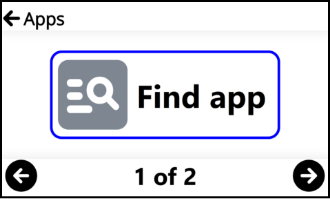
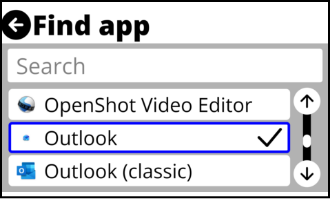
Prodigi now includes a new Apps application, making it easier to access Windows applications from within Prodigi. You can search for apps, launch them, and pin them for faster access.
This is especially useful when not using the Windows-style interface, as it provides a simple way to reach commonly used Windows apps without leaving the Prodigi environment.
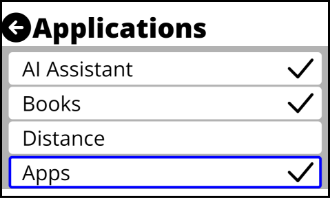
Apps is off by default and can be enabled in: Settings → User Interface → Interface → Applications
Keyboard and speech updates
Support for a new Bluetooth keyboard
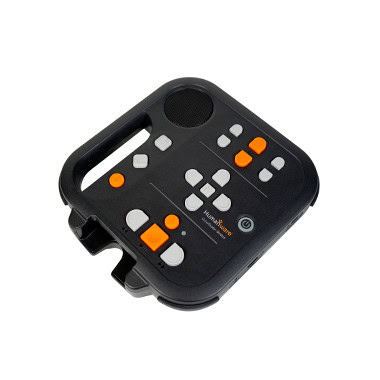
Support has been added for a new customized Prodigi Bluetooth keyboard for Windows, offering another option for easier tactile control and navigation.
Acapela update
Prodigi now uses Acapela v14.0 for text-to-speech. This update also introduces ten new voice personalities across supported languages and regions, including English (4), French, Norwegian, Polish, Portuguese (2), and Turkish.
Usability and performance updates
With these updates, you can now:
Choose between the standard Prodigi interface and the Windows-style interface
Search for, launch, and pin Windows applications from the Apps application
Use the customized Prodigi Bluetooth keyboard
Benefit from updated Acapela voices and additional voice options
Experience improved responsiveness across Prodigi
Work more smoothly in Windows mode with improved layout behavior
See improved loading when opening large folders in Files
Receive clearer messages when an app is not installed
Be notified if the microphone is muted when using voice input in AI Assistant
Have voice recording stop automatically after speaking
Benefit from general performance improvements and increased stability
How to get this update
Prodigi will alert you when v1.6 is available. You can also check manually:
Open Prodigi.
Go to Settings > System > Software Update.
Follow the prompts.
Your files and settings are kept during the update.