
Home / News / Product announcements / What’s new in Prodigi for Windows v1.7

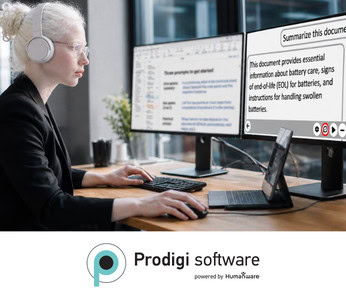
Prodigi for Windows v1.7 introduces practical new tools to support reading, learning, work, and everyday activities. Add notes and highlights to your content, navigate more easily using Speech and your touchscreen, complete quick calculations, and start an AI Assistant conversation with your voice.
The update also improves the overall experience, performance, and stability of Prodigi. Here is what you can do with the latest version.
Draw, highlight, make corrections, and erase directly on images, documents, and books. Your annotations remain with the image when you rotate or export it.
Annotation tools are available in Page reading mode.
The new Direct Touchscreen option lets you hear information and activate an item by tapping directly on it.
Alternative Access remains available for switch users and anyone who prefers to activate the item selected by the locator without targeting a specific area of the screen.
Choose your preferred option under Settings > Audio > Speech.
The new Standard Calculator lets you complete quick calculations directly from the Carousel. It works with a mouse, keyboard, or touchscreen, matches your selected color combination, and can read results aloud when Speech is on.
The Calculator is enabled by default.
You can now use your voice for your very first question to the AI Assistant, making it faster and easier to begin a conversation.
You can also give saved conversations custom names so they are easier to find. When the AI Assistant is turned off using Feature Lock, it is now completely hidden throughout Prodigi.
Your files and settings are kept during the update.
September 9, 2026
Prodigi for Windows v1.7 Update
Discover what’s new with smarter reading, magnification, text-to-speech, and the AI Assistant.
Register now
September 15, 2026
Live Overview of Prodigi for Windows
See how Prodigi supports everyday reading with magnification, text-to-speech, and the AI Assistant.
Register now
Visit the Prodigi for Windows YouTube playlist or the Help application for tutorials and feature overviews.
Thank you for choosing Prodigi for Windows. We are committed to continuously improving your reading and magnification experience.