

Register now for BrailleNote evolve updates

Early discovery (Ages 0–5)

Sensory play, tactile exploration, pre-braille and early visual access.

In the earliest years, learning should feel like play. For young children who are blind or have low vision, hands-on, sensory experiences build the foundation for future literacy and confidence.

Key needs in early learning programs:

– Engaging introductions to braille and tactile symbols.

– Durable, easy-to-handle devices designed for small hands.

– Teacher-friendly tools that help track developmental milestones and adapt learning activities.
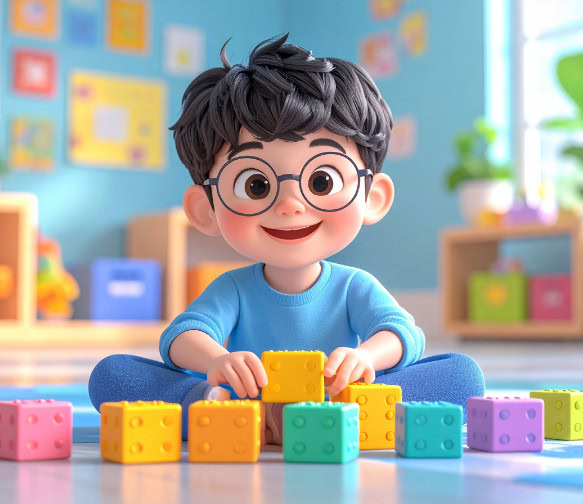
3D illustration of a smiling young boy sitting on the floor in a playroom, building with colorful LEGO-like blocks.

Learning through play:

First steps toward braille and independence

Click to play video in a popup then press escape to close the popup.

Blindness solutions

Annie

Annie

The world’s first self-learning braille literacy device for early education, combining tactile input, audio guidance, and interactive games.

For young learners: Makes braille engaging through game-based lessons, encouraging exploration while building early tactile recognition skills.

For educators: Tracks each child’s progress in real time, helping identify strengths and where additional support is needed, without requiring constant one-on-one oversight.

Code Jumper

Code Jumper

A tactile coding system introducing programming concepts through large, easy-tohandle pods and connectors.

For young learners: Encourages sequencing, problem-solving, and collaboration in a fun, physical format.

For educators: Creates an inclusive way to introduce early computational thinking without needing complex adaptations.

Blindness solutions

Code Jumper

Code Jumper

A tactile coding system introducing programming concepts through large, easy-tohandle pods and connectors.

For young learners: Encourages sequencing, problem-solving, and collaboration in a fun, physical format.

For educators: Creates an inclusive way to introduce early computational thinking without needing complex adaptations.

Blindness solutions

Annie

Annie

The world’s first self-learning braille literacy device for early education, combining tactile input, audio guidance, and interactive games.

For young learners: Makes braille engaging through game-based lessons, encouraging exploration while building early tactile recognition skills.

For educators: Tracks each child’s progress in real time, helping identify strengths and where additional support is needed, without requiring constant one-on-one oversight.

Low vision solutions

For children with low vision in this age group, the focus is on visual stimulation and accessible engagement rather than formal magnification devices.

Examples include:
  • Large-print and high-contrast books – Supports visual tracking and recognition.
  • Tactile-visual learning boards – Combines touch and sight for early concept building.
  • Interactive story devices with audio support – Encourages early literacy through multisensory input.

explorē line

explorē line

A portable magnifier designed to support early visual exploration.

For children
Zoom in on toys, pictures, and everyday objects to encourage curiosity, play, and early visual discovery.

For parents, educators, and early intervention specialists
Introduce magnification in a simple and engaging way that supports early visual development during play and daily activities.

Resources for teachers & schools

Even the best technology reaches full potential when educators are equipped to use it effectively.

How to create accessible classroom content

Practical steps for adapting teaching materials for blind and low vision learners

How to choose the right device for mixed vision classrooms

Strategies for balancing different visual needs in one group.

See HumanWare in action

Bring the HumanWare experience to your school.

Resources for teachers & schools

Even the best technology reaches full potential when educators are equipped to use it effectively.

How to create accessible classroom content

Practical steps for adapting teaching materials for blind and low vision learners

How to choose the right device for mixed vision classrooms

Strategies for balancing different visual needs in one group.

See HumanWare in action

Bring the HumanWare experience to your school.

Resources for teachers & schools

Even the best technology reaches full potential when educators are equipped to use it effectively.

How to create accessible classroom content

Practical steps for adapting teaching materials for blind and low vision learners

How to choose the right device for mixed vision classrooms

Strategies for balancing different visual needs in one group.

See HumanWare in action

Bring the HumanWare experience to your school.

Resources for teachers & schools

Even the best technology reaches full potential when educators are equipped to use it effectively.

How to create accessible classroom content

Practical steps for adapting teaching materials for blind and low vision learners

How to choose the right device for mixed vision classrooms

Strategies for balancing different visual needs in one group.

See HumanWare in action

Bring the HumanWare experience to your school. (Coming soon)
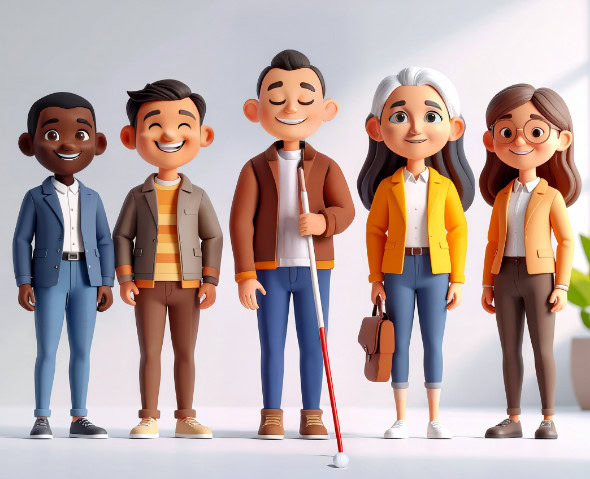
3D illustration of five diverse adults, including a visually impaired person holding a white cane, posing side by side and smiling.

Meet the team

With HumanWare, inclusion comes to life. Our specialists bring hands-on expertise to classrooms through demonstrations, training, and tailored support. From braille to low vision solutions, our latest device updates, including eBraille support, cloud integration, and AI-assisted tools, help students learn independently and stay aligned with modern classrooms.

Continue the journey

Discover
(Ages 0-5)

Learn
(Ages 6-12)

Progress
(Ages 13-17)

Achieve
(Ages 18+)