

Register now for BrailleNote evolve updates

Independence (Ages 18+)

Higher education, workplace readiness, and lifelong learning

For learners entering higher education or preparing for the workplace, technology must do more than support academic tasks, it needs to empower independence, efficiency, and adaptability in a wide range of settings. Whether in lecture halls, labs, internships, or first jobs, the right tools keep blind and low vision learners on equal footing with peers while allowing them to build professional skills that will serve them for life. 

Key needs at this stage

Research, writing, and professional document access that match or exceed the pace of mainstream environments 

– Continued access to tactile or magnified STEAM materials for specialized coursework and technical careers

– Seamless integration with higher ed systems, workplace software, and remote collaboration tools
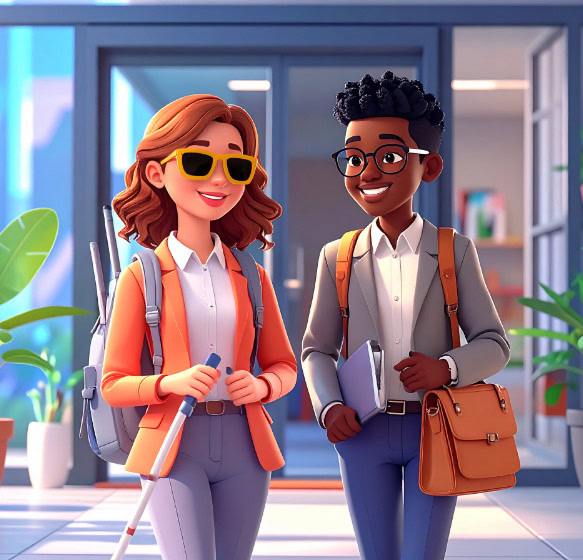
3D illustration of two smiling professionals walking together, one holding a white cane and wearing sunglasses, the other carrying a briefcase.

Empowering independence with technology:
for education, work, and life

Click to play video in a popup then press escape to close the popup.

Blindness solutions

Monarch

Monarch

A multi-line braille display with tactile graphics for advanced STEM access.

For students and professionals
Explore tactile diagrams, graphs, and braille in one workspace to support STEM learning, data analysis, and technical coursework.

For educators and accessibility teams
Share tactile course materials instantly and reduce delays from traditional braille production, helping learners access complex content in real time.

BrailleNote evolve

BrailleNote evolve

A braille-first device designed to support independence, productivity, and professional success in higher education and the workplace.

For students and professionals (18+)
Read, write, manage documents, and collaborate using braille while working with mainstream tools like Word, Excel, Outlook, and PowerPoint in a Windows environment optimized for braille access. BrailleNote evolve combines the simplicity of KeySoft with the flexibility of Windows to support advanced digital workflows.

For universities, employers, and accessibility teams
Provide a braille-first solution that integrates with mainstream workplace technology and accessibility tools. With support for Windows and leading screen readers, BrailleNote evolve helps users participate fully in higher education and professional environments while maintaining the reliability of a braille-centered experience.

TactileView

TactileView

A software tool for creating and printing tactile graphics on compatible embossers.

For students and professionals: ideal for custom diagrams, floor plans, or technical drawings.

For educators and trainers integrates with embossers such as Romeo, Juliet, BrailleBox V5, and Everest-D V5, giving full control over design and production.

StellarTrek

StellarTrek

A portable GPS navigation device with built-in OCR and object recognition designed to support independent travel.

For students and young adults: enables confident navigation on college campuses, in cities, and at workplaces, while also assisting with tasks such as reading signage and identifying landmarks.

For educators and mobility specialists: provides a reliable tool that extends formal orientation and mobility training, supporting the learner’s transition into adulthood and lifelong independence.

Low vision solutions

explorē line

explorē line

A family of portable video magnifiers designed for reading, studying, and everyday visual access.

For students and professionals
Read printed documents, textbooks, and notes more easily with portable magnification that supports studying, research, and everyday tasks at school or work.

For educators and accessibility teams
Provide flexible magnification solutions that help learners access printed materials, classroom content, and visual information more independently.

Prodigi for Windows

Prodigi for Windows

Low vision software for learning, studying, and everyday digital access.

For students and professionals
Access digital and printed materials with magnification, text-to-speech, and AI-assisted reading tools to support studying, research, and independent work.

For educators and accessibility teams
Provide flexible access to classroom materials and digital content, helping learners read more efficiently and participate more confidently in academic environments.

Reveal 16

Reveal 16

A desktop video magnifier designed for comfortable reading and everyday tasks.

For individuals with low vision
Read mail, books, documents, and detailed materials more easily with a large screen and adjustable magnification that supports longer reading sessions.

For professionals and support specialists
Provide a stable magnification solution that helps users access printed materials and visual information with greater comfort and independence.

Resources for teachers & schools

Even the best technology reaches full potential when educators are equipped to use it effectively.

How to create accessible classroom content

Practical steps for adapting teaching materials for blind and low vision learners

How to choose the right device for mixed vision classrooms

Strategies for balancing different visual needs in one group.

See HumanWare in action

Bring the HumanWare experience to your school.

Resources for teachers & schools

Even the best technology reaches full potential when educators are equipped to use it effectively.

How to create accessible classroom content

Practical steps for adapting teaching materials for blind and low vision learners

How to choose the right device for mixed vision classrooms

Strategies for balancing different visual needs in one group.

See HumanWare in action

Bring the HumanWare experience to your school.

Resources for teachers & schools

Even the best technology reaches full potential when educators are equipped to use it effectively.

How to create accessible classroom content

Practical steps for adapting teaching materials for blind and low vision learners

How to choose the right device for mixed vision classrooms

Strategies for balancing different visual needs in one group.

See HumanWare in action

Bring the HumanWare experience to your school.

Resources for teachers & schools

Even the best technology reaches full potential when educators are equipped to use it effectively.

How to create accessible classroom content

Practical steps for adapting teaching materials for blind and low vision learners

How to choose the right device for mixed vision classrooms

Strategies for balancing different visual needs in one group.

See HumanWare in action

Bring the HumanWare experience to your school. (Coming soon)
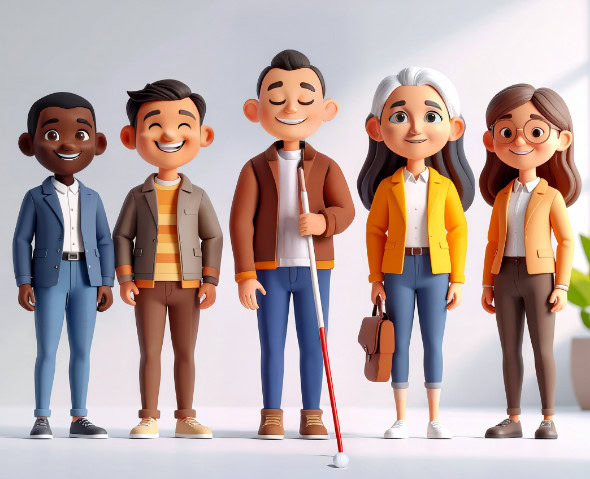
3D illustration of five diverse adults, including a visually impaired person holding a white cane, posing side by side and smiling.

Meet the team

With HumanWare, inclusion comes to life. Our specialists bring hands-on expertise to classrooms through demonstrations, training, and tailored support. From braille to low vision solutions, our latest device updates, including eBraille support, cloud integration, and AI-assisted tools, help students learn independently and stay aligned with modern classrooms.

The journey continues

Higher education, careers, and independence are supported by technology that evolves with you!

Discover
(Ages 0-5)

Learn
(Ages 6-12)

Progress
(Ages 13-17)

Achieve
(Ages 18+)