
Register now for BrailleNote evolve updates

Expansion (Ages 13–17)

Inclusive tools for advanced coursework, collaborative learning, and equitable access to STEAM.

In the later school years, blind and low vision learners are preparing for advanced coursework, group projects, and the transition to post-secondary education or employment. This stage calls for technology that delivers information in multiple formats, connects smoothly with mainstream classroom tools, and supports complex subjects like math, science, and technology.

Key needs in the classroom

– Access to learning materials in braille, audio, and magnified text

– Seamless integration with the school’s learning management systems (LMS)—Google Classroom, Moodle, Canvas, and Microsoft Teams for Education.

– Full Science, Technology, Engineering, Arts, and Mathematics (STEAM) access through tactile graphics, scientific notation, and detailed diagrams.
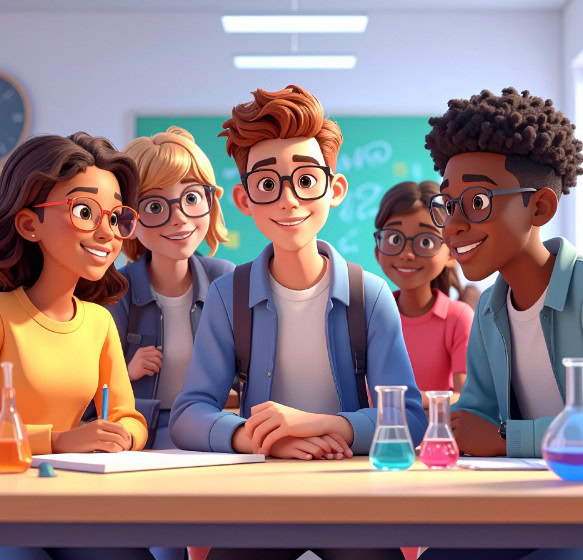
3D illustration of five teenagers smiling in a science lab, sitting around a table with colorful flasks.

Preparing for tomorrow:
Mastering key subjects and gaining independence

Click to play video in a popup then press escape to close the popup.

Blindness solutions

Monarch

Monarch

A dynamic tactile device that combines braille and graphics for interactive learning.

For students
Explore tactile diagrams, graphs, maps, and braille on a single surface to better understand subjects like math, science, and geography.

For teachers and accessibility teams
Create and share tactile graphics instantly, helping students access visual learning materials without the delays of traditional braille production.

BrailleNote evolve

BrailleNote evolve

A braille-first device that helps students build digital skills for school and beyond.

For students
Read, write, and take notes using braille while accessing digital learning materials and mainstream tools like Word, Excel, and PowerPoint.

For teachers and accessibility teams
Support students with a braille-first device that connects to classroom technology, helping them complete assignments and develop essential digital skills.

Mantis Q40

Mantis Q40

A 40-cell braille display with a full laptop-size QWERTY keyboard, so learners can type on standard keys while reading braille on the integrated display. Pairs with five Bluetooth devices + one USB, and includes onboard apps (Editor, Book reader) with access to participating online libraries.

For students: ideal when QWERTY typing and mainstream computing are priorities alongside braille.

For teachers: one device that acts like a standard keyboard + braille display, simplifying setup across multiple devices.

Brailliant BI 20X/40X

Brailliant BI 20X/40X

Portable braille displays that connect with laptops, tablets, and smartphones.

For students: compact (BI 20X) or wider line length (BI 40X) for reading, note-taking, and staying connected to phones/tablets/PCs.

For teachers: integrates cleanly with common screen readers (JAWS, NVDA, VoiceOver, TalkBack) used on classroom devices.

StellarTrek

StellarTrek

A portable GPS device that supports independent travel and navigation.

For students
Learn to navigate school, neighborhoods, and community spaces with spoken directions, landmark information, and tools that support growing independence.

For teachers and O&M specialists
Support orientation and mobility training with a reliable navigation tool that helps students build confidence and travel skills.

Low vision solutions

Reveal 16

Reveal 16

A desktop video magnifier designed for comfortable reading and classroom tasks.

For students
Read textbooks, worksheets, and diagrams more easily with a large screen and adjustable magnification that supports longer reading sessions.

For teachers and accessibility teams
Provide a stable magnification solution that helps students access printed materials and classroom content with less visual strain.

Prodigi for Windows

Prodigi for Windows

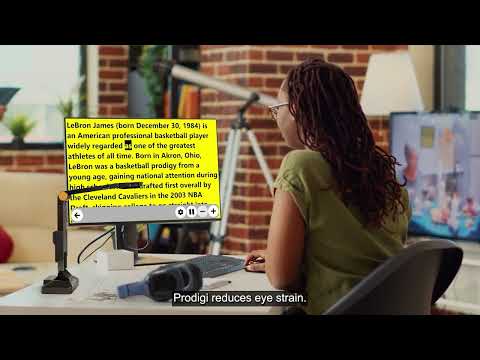
A low vision software for reading, studying, and digital learning.

For students
Access textbooks, documents, and online resources with magnification, text-to-speech, and AI-assisted reading tools that support homework, research, and independent study.

For teachers and accessibility teams
Provide flexible access to classroom materials and digital content, helping students read more efficiently and participate confidently in learning activities.

Resources for teachers & schools

Even the best technology reaches full potential when educators are equipped to use it effectively.

How to create accessible classroom content

Practical steps for adapting teaching materials for blind and low vision learners

How to choose the right device for mixed vision classrooms

Strategies for balancing different visual needs in one group.

See HumanWare in action

Bring the HumanWare experience to your school.

Resources for teachers & schools

Even the best technology reaches full potential when educators are equipped to use it effectively.

How to create accessible classroom content

Practical steps for adapting teaching materials for blind and low vision learners

How to choose the right device for mixed vision classrooms

Strategies for balancing different visual needs in one group.

See HumanWare in action

Bring the HumanWare experience to your school.

Resources for teachers & schools

Even the best technology reaches full potential when educators are equipped to use it effectively.

How to create accessible classroom content

Practical steps for adapting teaching materials for blind and low vision learners

How to choose the right device for mixed vision classrooms

Strategies for balancing different visual needs in one group.

See HumanWare in action

Bring the HumanWare experience to your school.

Resources for teachers & schools

Even the best technology reaches full potential when educators are equipped to use it effectively.

How to create accessible classroom content

Practical steps for adapting teaching materials for blind and low vision learners

How to choose the right device for mixed vision classrooms

Strategies for balancing different visual needs in one group.

See HumanWare in action

Bring the HumanWare experience to your school. (Coming soon)
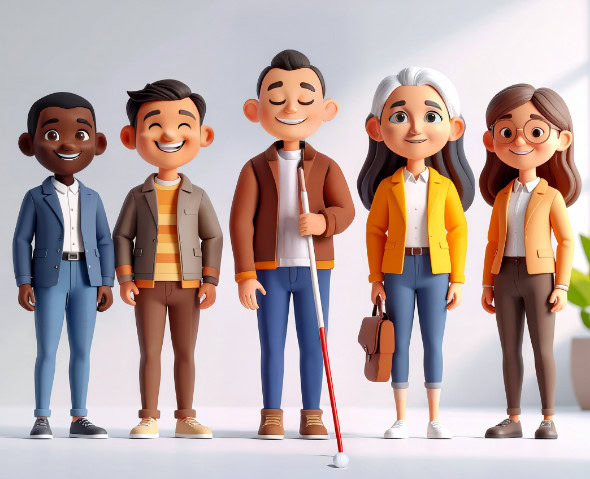
3D illustration of five diverse adults, including a visually impaired person holding a white cane, posing side by side and smiling.

Meet the team

With HumanWare, inclusion comes to life. Our specialists bring hands-on expertise to classrooms through demonstrations, training, and tailored support. From braille to low vision solutions, our latest device updates, including eBraille support, cloud integration, and AI-assisted tools, help students learn independently and stay aligned with modern classrooms.

Continue the journey

Discover
(Ages 0-5)

Learn
(Ages 6-12)

Progress
(Ages 13-17)

Achieve
(Ages 18+)