This report outlines project delays, increased costs, and recommended next steps for the upcoming quarter.
What does this chart show?
The chart shows steady customer satisfaction growth over recent months, with the highest scores recorded this quarter.
What was the previous recommendation?
The previous recommendation was to prioritize staff training and improve accessibility documentation for employees and customers.
Designed for productivity and independence
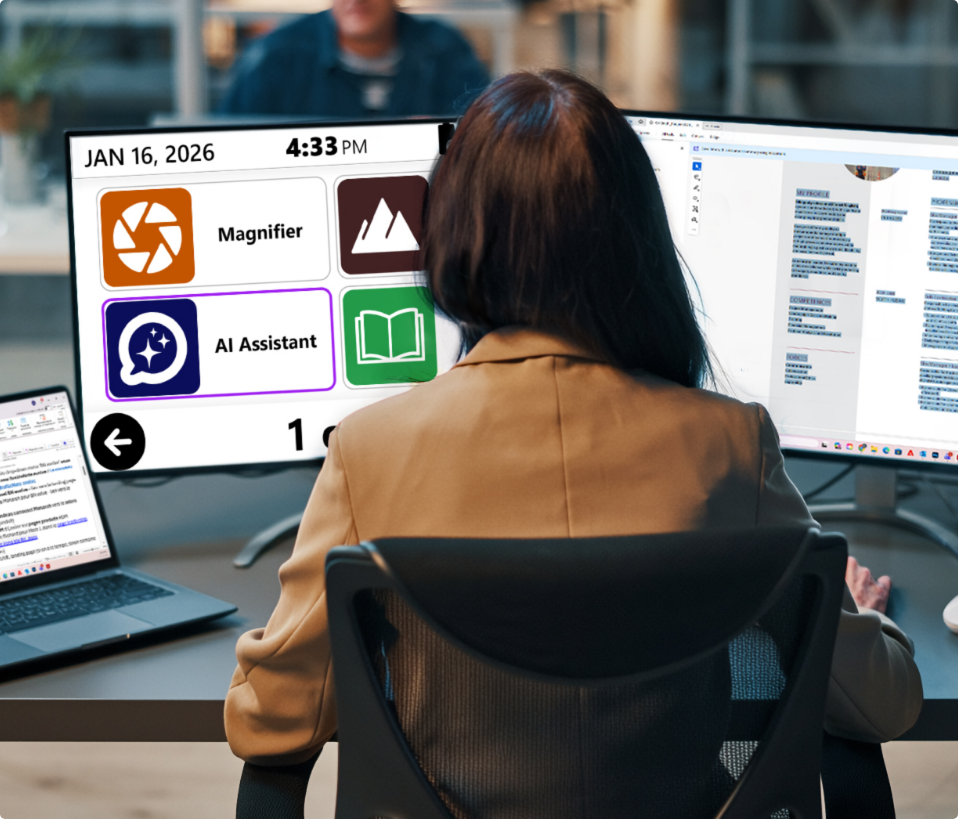
Prodigi helps adults with low vision stay productive by improving access to information across work and daily activities.
Read documents, reports, and digital content more efficiently
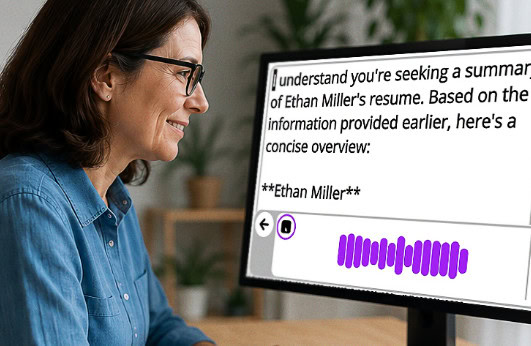
Use AI-assisted tools to summarize and better understand complex information
Capture and review printed materials alongside digital content
Work across Windows applications and environments
Supporting accessible learning
Prodigi also supports students and educators by improving access to learning materials and digital content.
Access textbooks, assignments, and documents
Support reading comprehension and study efficiency
Enable flexible use across classrooms and remote learning
Flexible solutions to fit your needs
Prodigi for Windows is designed to adapt to different environments and workflows:
– Use as a standalone software solution on existing Windows devices
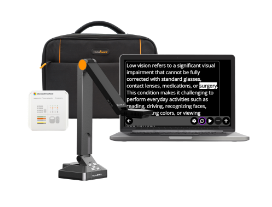
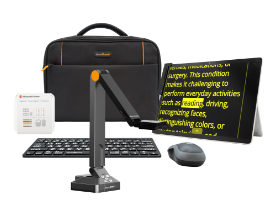
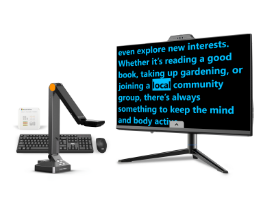
– Pair with document cameras to access printed materials and capture text
– Choose from integrated system configurations for ready-to-use setups matching your needs
Software
Ideal for existing Windows devices
Magnification, OCR, AI, and text-to-speech tools on your computer.
Prodigi for Windows is designed to adapt to different environments and workflows:
– Use as a standalone software solution on existing Windows devices
– Pair with document cameras to access printed materials and capture text
– Choose from integrated system configurations for ready-to-use setups matching your needs
Software
Ideal for existing Windows devices
Magnification, OCR, AI, and text-to-speech tools on your computer.
No single solution works the same way for every person or every type of sight loss. Prodigi lets you adjust text size, contrast, speech rate, mouse pointer size, locator color, and display settings, so the experience adapts to your vision needs and reading preferences.
A solution that adapts to you
A solution that adapts to you
No single solution works the same way for every person or every type of sight loss.
A solutionthat adapts to you No single solution works the same way
Before Prodigi
Reading and daily tasks require more effort.
– Small text causes strain
– Long reading sessions increase fatigue
– Tasks take longer to complete
With Prodigi
Work more comfortably and independently.
– Read faster with less strain – Understand content more easily – Stay productive throughout the day
Questions before you start?
Who is Prodigi for?
Prodigi helps people with low vision read, magnify, and understand printed and digital content at school, work, or home.
What can you do with Prodigi?
Read mail, books, PDFs, labels, and documents with magnification, text-to-speech, OCR, and AI tools.
Can Prodigi read printed and digital documents?
Yes. Prodigi works with printed documents, PDFs, Word files, images, EPUB books, and online libraries.
Can Prodigi be customized?
Yes. Adjust magnification, contrast, colors, speech, reading speed, and navigation settings to match your vision needs.
Can Prodigi support different low vision reading needs?
Yes. Prodigi helps people with low vision access printed and digital content when reading is affected by central or peripheral vision loss, reduced contrast sensitivity, blurry or distorted vision, light sensitivity, visual fatigue, or difficulty reading small print.
Can I try Prodigi before buying?
Yes. Prodigi offers a free 14-day trial with sample documents, AI tools, and built-in accessibility features.
Can I try Prodigi before buying?
Yes. Prodigi offers a free 14-day trial with sample documents, AI tools, and built-in accessibility features.
Can I try Prodigi before buying?
Yes. Prodigi offers a free 14-day trial with sample documents, AI tools, and built-in accessibility features.
Can I try Prodigi before buying?
Yes. Prodigi offers a free 14-day trial with sample documents, AI tools, and built-in accessibility features.
Can I try Prodigi before buying?
Yes. Prodigi offers a free 14-day trial with sample documents, AI tools, and built-in accessibility features.
Can I try Prodigi before buying?
Yes. Prodigi offers a free 14-day trial with sample documents, AI tools, and built-in accessibility features.
Can I try Prodigi before buying?
Yes. Prodigi offers a free 14-day trial with sample documents, AI tools, and built-in accessibility features.
Experience Prodigi for FREE Start 14 days trial
Reading and daily tasks require more effort.
Experience how Prodigi improves reading, productivity, and independence.