

What educators have to say about the Monarch
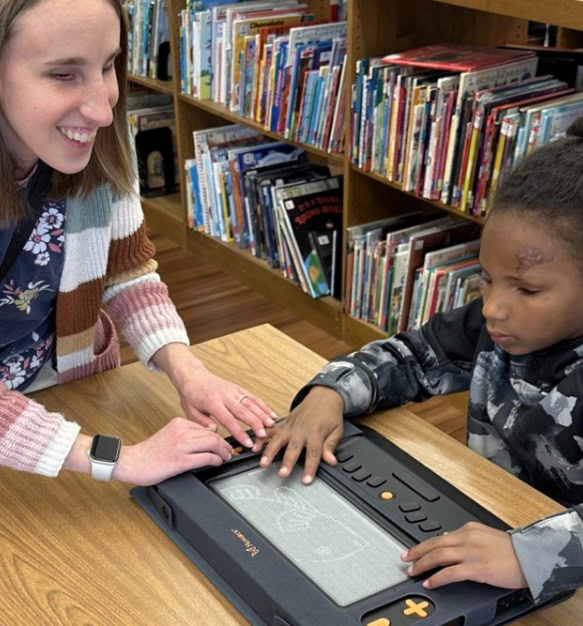
Educators, with their expertise and experience, play a critical role in selecting the best tools for their students. Their insights into the Monarch device showcase its transformative impact on students who are blind or have low vision. Below are the key categories based on their testimonials: Student engagement and attitude toward learning “Showing the […]
Aging adults with sight loss: the ABCs of visual aids

Experiencing vision loss doesn’t mean you have to give up what you love. With the right tools and support, you can maintain your independence and continue to enjoy life. While adjusting to vision changes can be challenging, the proper aids can make a significant difference. Understanding vision loss Vision loss, also known as low vision, […]
Simplify file management with Monarch: Say goodbye to clutter, whether you’re a student or teacher

Keeping your content organized and up to date has never been easier! Monarch’s powerful File Manager ensures your files are always accessible and well-organized. With its easy-to-use interface, you’ll enjoy an efficient and hassle-free way to manage your important files and materials. Organizational efficiency Quickly locate and save essential files like science projects or coursework, […]
Privacy Policy – Mobile Apps
Privacy Policy – Mobile Apps We take your privacy very seriously. This privacy policy describes how we collect and use your personal and non-personal information. Please read our privacy policy carefully and contact us if there are questions or concerns. Note: Our Privacy Policy covers the use of our mobile apps. The privacy policy of our […]
HumanWare Companion

Method 2: To download your keys using a computer
Save the .KXO file attached to the email you received from Humanware to a location on your computer. Turn the Victor Reader off and be sure that there is an SD card inserted in the player. Connect the Victor Reader to the computer using the long USB cable provided. Turn the player ON. You should […]
Method 1 : To download your keys through wifi
Make sure your Victor Reader is connected to Wifi. If you’re already on wifi, go to step 3. If not, click on this link for instructions to connect to Wifi After you connect to Wifi, if you hear the message “3 user keys processed”, you’re done! If not, go to the next step. If […]
HwBuddy app account deletion request
Access to our HumanWare Live Webinar Series

Subscribe to our Brailliant BI X user group
Email Address: