

Monarch is no longer just a tool for reading and accessing information. It is becoming a platform for play, exploration, and connection through a growing library of interactive games and apps.
These experiences combine braille, tactile graphics, and dynamic interaction in ways that bring learning to life. They also introduce something that has often been missing: the ability to engage, return, and participate alongside others.
Monarch was designed to go beyond traditional braille displays. By combining multi-line braille with tactile graphics and touch interaction, it supports experiences that are interactive, layered, and responsive.
Games build on that foundation. They create opportunities to practice skills while staying engaged, to explore independently, and to return to the device for more than structured tasks. Instead of being used only when needed, Monarch becomes something students choose to use regularly.
Apps are delivered and updated through KeyUpdater, allowing new content to be added over time. This creates an evolving ecosystem rather than a fixed experience. As new apps are released, the value of the device continues to grow.
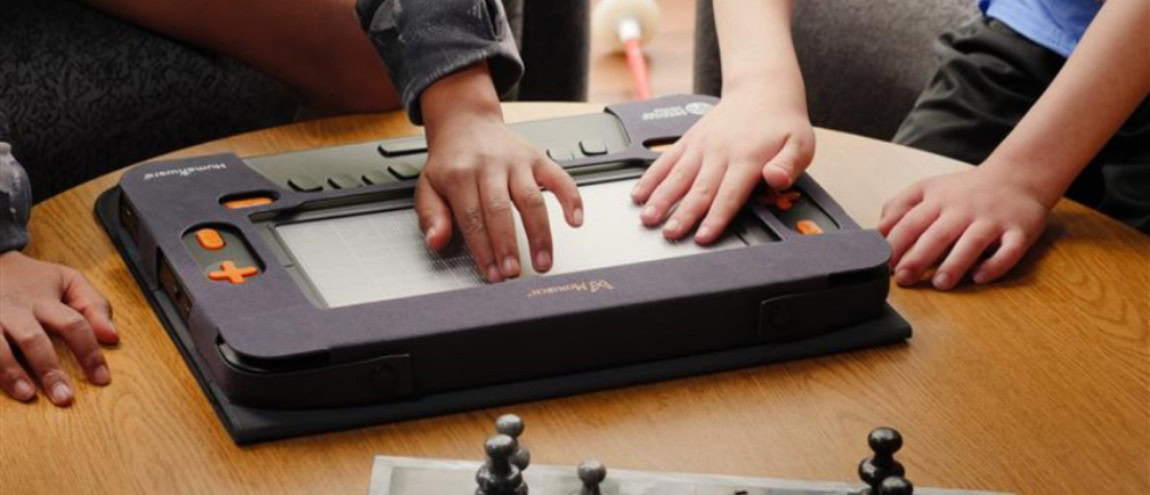
Monarch Chess remains one of the most powerful examples of how tactile interaction can transform a classic game.
The experience combines a tactile chessboard, braille instructions, and real-time audio feedback. Players can follow the movement of each piece through touch while building strategy and anticipating outcomes. For many students, this turns an abstract game into something concrete and intuitive.
For educators, it supports logic, memory, and concentration while reinforcing spatial awareness through repeated play.
With upcoming updates, Monarch Chess is expanding into online play, allowing students to compete with others around the world through platforms such as Lichess. (aph.org)
One of the most important recent additions to Monarch is the integration of Echo Explorers, an award-winning game from PBS Kids’ Cyberchase.
In this experience, students explore a virtual environment using echolocation, navigation, and spatial reasoning to complete challenges. The game introduces key math and science concepts such as coordinate grids, directionality, and environmental systems.

What makes this moment especially important is not only the gameplay itself, but the context.
Echo Explorers is the same game played by sighted children on tablets and computers.
For the first time, students who are blind can engage with the same content, at the same time, in the same way. This creates opportunities for:
It represents a shift from adapted experiences to shared ones, where accessibility enables participation rather than separation.

Alongside mainstream integrations, Monarch also supports experiences designed specifically for tactile interaction.
Wordstock is a braille-based word game that challenges students to guess words through structured feedback and pattern recognition. As letters are revealed, the tactile display allows users to feel placement and spacing directly, reinforcing how words are constructed rather than simply memorized.
The format encourages repetition. Students return to improve, test new strategies, and build confidence over time. What begins as a game becomes a daily literacy habit.
Not all games on Monarch look like traditional games. Some take familiar learning concepts and turn them into interactive challenges. The Flip-Over Concepts apps, including Textures and Lines, use layered tactile panels that students can switch between. As they move from one panel to another, they compare what they feel and identify patterns or differences.

For example, in the Textures app, a student might explore one surface with a repeating pattern of raised dots, then flip to another panel to determine whether the structure is identical or subtly different. In Lines, the focus shifts to paths and direction, where tracing a route on one panel and matching it on another builds an intuitive sense of movement and orientation.
These experiences develop tactile discrimination and early graphic literacy, but they do so through interaction rather than instruction. Students learn by testing, comparing, and discovering.
Monarch also brings interactive exploration into subjects that have traditionally been difficult to access.
The Periodic Table app provides a fully tactile, navigable representation of chemical elements. Students can move across rows and columns, feel how elements are grouped, and select a specific cell to access detailed information.
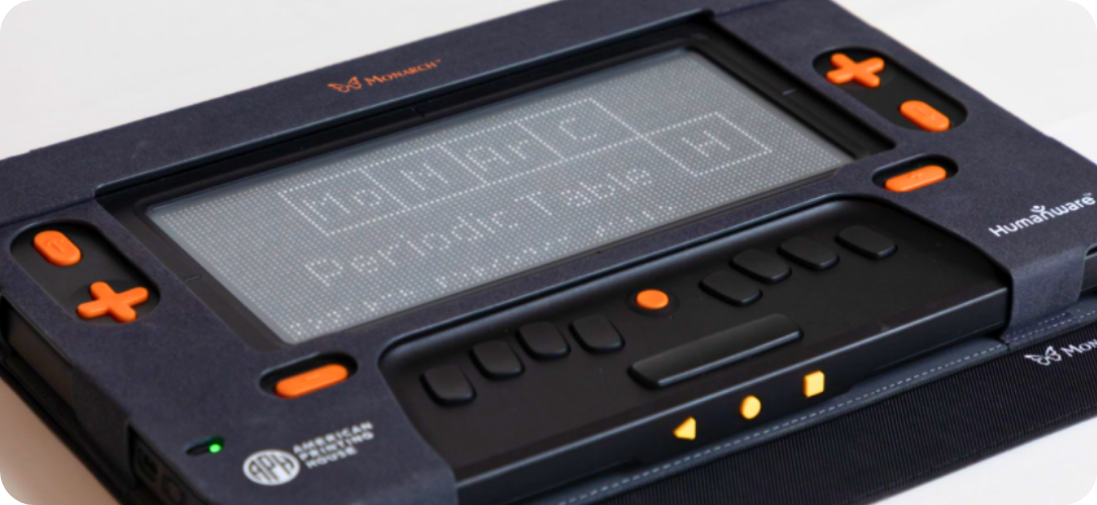
For instance, moving from one element to the next reveals shifts in structure and organization that are often lost in static formats. Selecting an element surfaces its properties in braille and audio, allowing students to explore relationships between elements rather than memorizing isolated facts.
While not a game in the traditional sense, the experience encourages the same kind of active exploration. It invites curiosity and supports independent discovery.
What connects all of these experiences is not just their design, but the platform behind them. Monarch is not limited to a fixed set of features. With ongoing development and partnerships, new apps continue to be added, expanding both learning and play. Developers are focusing on experiences that encourage repeat use, so students return regularly and build familiarity over time. (aph.org)
This reflects a broader shift from static tools to evolving environments. Monarch is not something that remains the same after purchase. It continues to expand, adapt, and offer new possibilities.
Games on Monarch are not only about education. They are about independence, confidence, and everyday experience.
When students choose to return to their device to play, explore, or connect, it changes the role that technology plays in their lives.
It becomes a tool for learning, a space for interaction, and a source of enjoyment.
The current library of games and interactive apps is only the beginning. As new partnerships emerge and more developers contribute to the ecosystem, Monarch will continue to expand what accessible play can look like.
The direction is clear.
Students who are blind are no longer limited to adapted experiences. They are participating in shared environments, building skills through play, and accessing the same digital opportunities as their peers.
With Monarch, learning does not stop at access. It becomes something to explore, to enjoy, and to share.