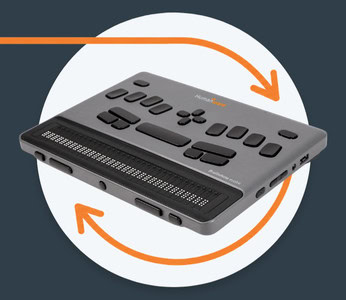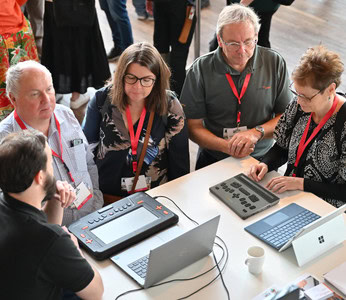

Named one of the Best Invention of 2025 by TIME, Monarch now benefits from the 1.4 update, which provides access to Google Drive and much more.
We are pleased to share significant new features for the Monarch including the addition of Google Drive access, JAWS terminal support via Bluetooth, and eBraille.
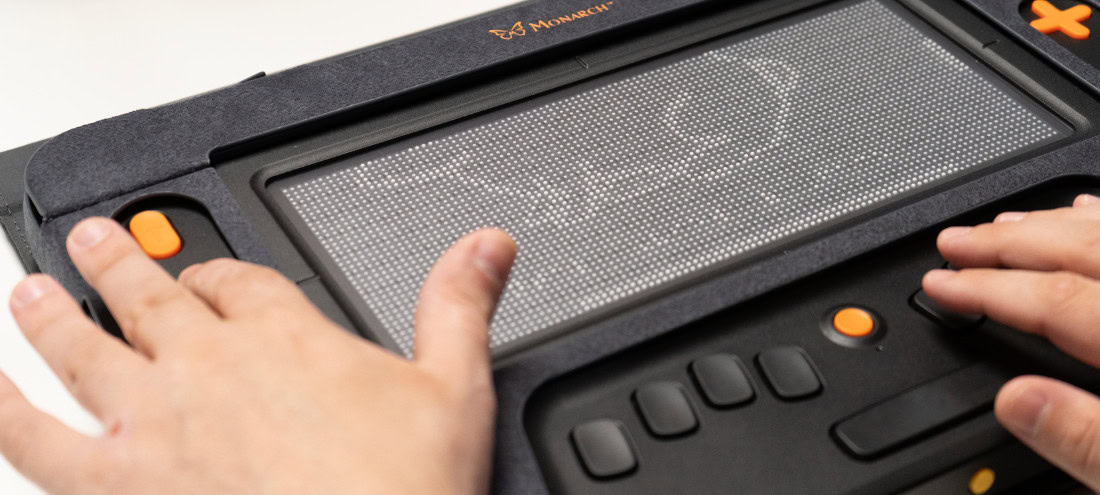
The Monarch, developed by the American Printing House for the Blind (APH), in collaboration with HumanWare and the National Federation of the Blind, is a multiline braille device that renders tactile graphics integrated with braille on the first-of-its-kind 10-line by 32-cell refreshable braille display. With access to downloadable digital textbooks and APH’s Tactile Graphics Image Library (TGIL), the Monarch drastically reduces time to fingertips for users who are blind and low vision.
The new 1.4 update provides the following:
- Access to Google Drive. Google Drive is a cloud-based storage service that allows users to store files online. Users can access them from any device and partner with others.
- JAWS and NVDA Beta Bluetooth Terminal Support – JAWS and an NVDA beta now support terminal mode with Monarch via Bluetooth. Users can use their Monarch to access content from their mobile devices and computers in braille and use their Monarchs as a braille keyboard.
- OneDrive Support – OneDrive Support allows users with the OneDrive cloud storage service access to file syncing, account access, sharing files, and more.
- eBraille Support – Monarch devices will now support the eBRL file format which offers enhanced navigation, dynamic formatting, and integrated tactile graphics. This is the first multiline braille display to offer eBraille support.
Key previous updates
Last year, other updates included the introductions of Braille Terminal Mode and the Wing It app.
Braille Terminal Mode
Braille Terminal Mode allows individuals to use the Monarch as a refreshable braille display when connected to a screen reader. When connected to an external device running a screen reader, the screen reader can send multiline braille to the Monarch’s tactile display. Terminal Mode on the Monarch via Bluetooth is compatible with the latest version of JAWS and available to beta testers for NVDA.
Wing It
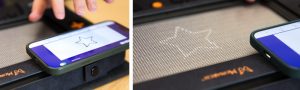
Wing It empowers users to create tactile graphics on the fly. The Wing It iOS app pairs via Bluetooth to the Monarch tactile display and enables blind or sighted users to draw directly on the screen of their iOS device, and in real time, a tactile version of that drawing is generated on the Monarch. In addition to being able to free hand draw, the iOS app contains a style menu with a selection of prefabricated shapes, similar to Microsoft Paint.
After users lift their finger to stop drawing, the image is automatically sent to the Monarch, along with the fill pattern, in raised dots. The iOS user can even add braille labels to their drawing regardless of whether or not they know braille. Just type a label in print using the iOS keyboard, and it translates to braille for the Monarch user. The Wing It is available in the Apple App store. Read more about Wing It.
Built-in applications on Monarch
Multiple applications are available on the Monarch, including HumanWare’s KeySoft Accessibility suite, which includes:
A Word processor supporting Math ML and .docx files
A graphing calculator, which is the result of a partnership with Desmos, enabling students to graph tactile functions on demand:
- Bookmark functionality for Victor Reader and the ability to switch from Tactile Viewer to Victor Reader
- Optimized braille refresh speed and point and click for Ecosia
- Microsoft Exchange, Gmail, IMAP or POP3 accounts for KeyMail
Tactile Viewer, a tactile graphic viewing app which connects via Wi-Fi to APH’s free Tactile Graphics Image Library, allowing a student instant access to more than 2,000 tactile graphics.
eBraille: a major breakthrough
One groundbreaking development that will change how students can access books is eBraille. eBraille allows electronic files to be delivered wirelessly to the Monarch, reducing the time normally needed to emboss and produce a textbook. APH has partnered with the DAISY Consortium for the development of eBraille.
Monarch Tech Info
- 10×32 cell lines with 3840 equidistant pins and touch capacity.
- Weighing 4.5 lbs. and about the dimensions of a 15-inch gaming laptop.
- WIFI; Bluetooth connectivity; USB C charging port; USB A port; Stereo speakers for text to speech and audio feedback; Internal Mic for voice input; Headphone jack; protective folio case; HDMI port for video out to display the device’s content on an external monitor; All day battery.